 VITNA
VITNAVITNA Desktop.
Your agent, in its own tank, on your own machine.
Guard mode, the aquarium and your decisions, all on this PC. Nothing about your agent leaves it unless you choose. Free. Windows (x64); macOS planned, no date.
The aquarium comes to the desktop: your agent in its own tank, held calls at the glass. Presentation mode now covers notifications and the local key, for screenshots and recordings.
Updates install when you click Update now.
VITNA Desktop checks for a new version when it starts and every 6 hours. When one is out, a banner shows the version and its notes. Nothing downloads or installs until you click Update now.
Each update is checked against the VITNA update key built into your copy of the app. If its signature does not match, the update is refused and your installed version stays as it is.
Why: the update list published before 0.7.0 named platforms that had no download, and 0.6.x could not read a list like that, so its check reported an error. From 0.7.0 on, the list names only platforms with a download, and the update is signed with the same update key your copy already trusts.
Linux: VITNA Desktop is Windows only. No Linux build is published, so there is no Linux install to update.
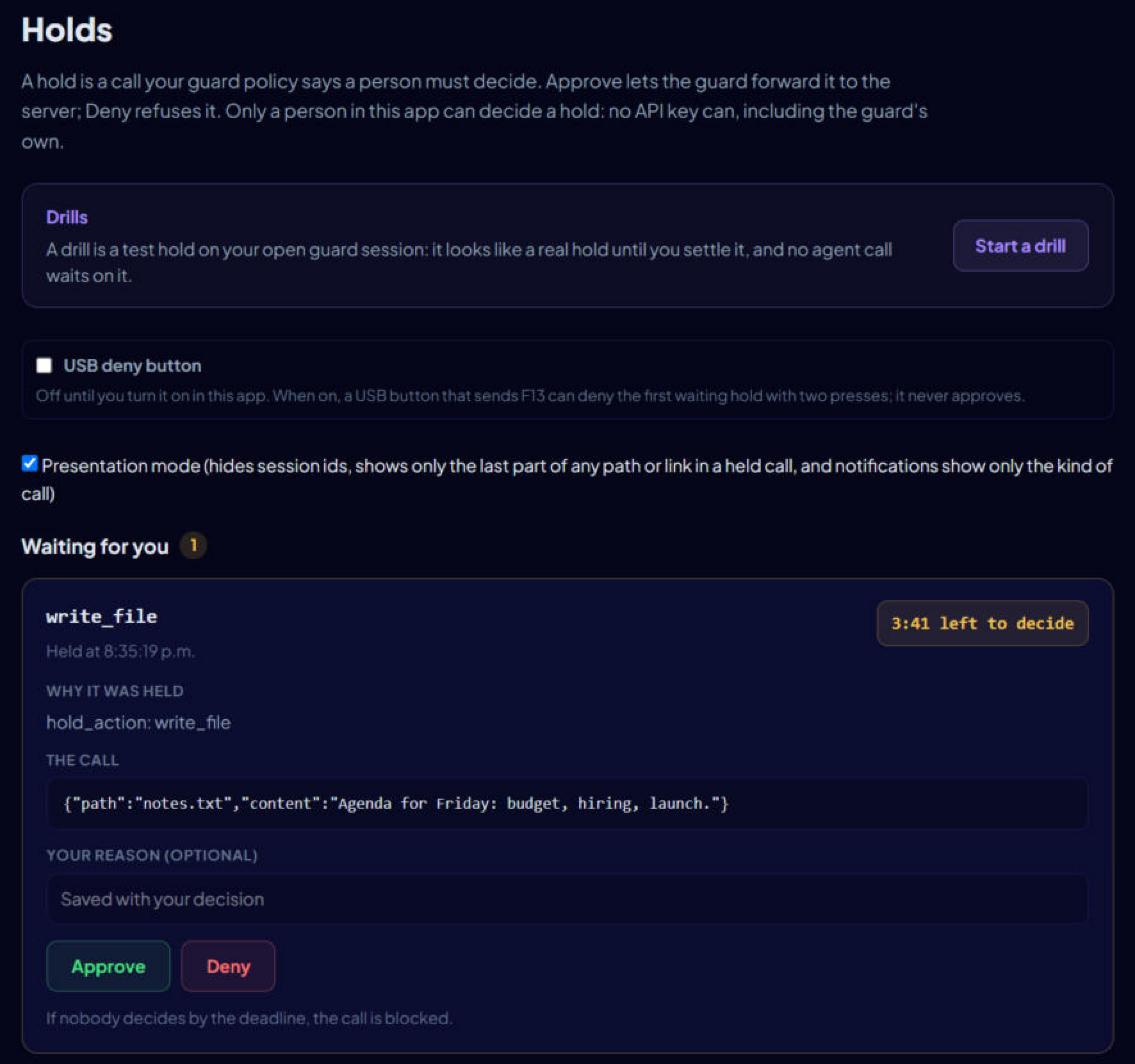
Put your agent in a tank and watch it work. You name it. It picks only its emoji and colour. When it reaches for a tool you've marked as risky, the call waits at the glass: a card with the tool, the arguments (secrets redacted) and a countdown. Approve or Deny from the app or from the Windows notification. If nobody answers, it doesn't run. The card shows the call as VITNA recorded it, with VITNA's own reason, so the agent can't talk its way past you.
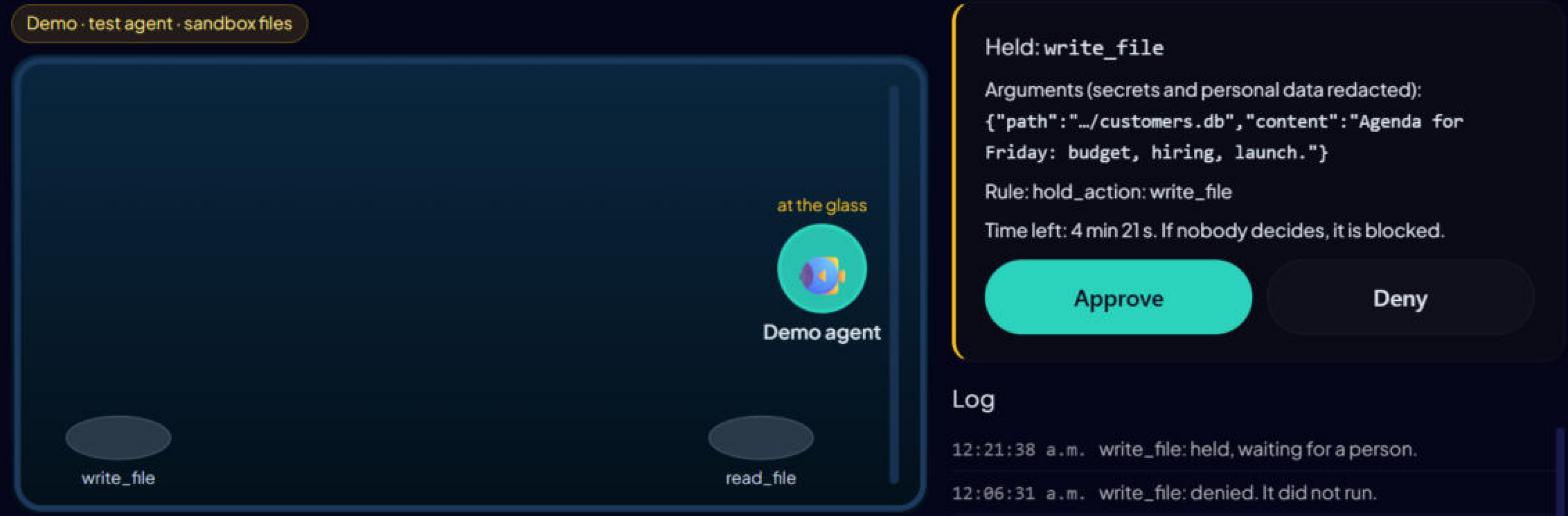
To try a held call without installing anything, try the demo: a labelled simulation in your browser.
Guard mode wraps the stdio MCP servers you put behind it, and this app is the evaluator: every tool call is checked here before the server sees it.
A rogue agent can't approve itself. The agent's key can't decide a hold; only you can, in the app. Canary holds, if you set them in the policy, check that you're actually reading. Bait tools, if you switch them on, catch an agent reaching for things no task needs.
A guarded session that closes normally ends in a record signed with a key made on this machine. Anyone can verify it offline with the open-source verifier, which says in plain words that it's a VITNA Desktop local key, not VITNA's. Changing a signed record breaks its signature, but whoever holds this machine's key can sign a new one, so check the key id against the one VITNA Desktop shows in Settings.
It only sees the servers you wrap; a built-in shell or an unwrapped server is outside it. Detection is heuristic, not a sandbox. Local records aren't signed by VITNA's published key. Windows x64 only.
- Install and open VITNA Desktop. Open the aquarium and name your agent.
- Open Guard mode and copy the config for your client (Claude Desktop, Claude Code or Cursor). For Claude Code, turn off its built-in file and shell tools, as /connect shows.
- In the policy file Guard mode shows, list the tools you want held under
hold_actions(for the reference filesystem server:write_file,edit_file,move_file). - Ask the agent to change a file in a test folder.
- Watch the hold land on the glass and in the Windows notification. Deny it, or let it run out.